How it works
Review Garden
One branded page. Two clear paths. Happy customers leave Google reviews — unhappy ones tell you privately so you can make it right.
From setup to ask
Three steps to start growing reviews
Step 1
Create your business page
Add your company name, review link (Google, Yelp, or another site), logo, and optional background. You get a branded URL at /r/your-slug.
Step 2
Choose how you ask
Print QR postcards for the job site, send a follow-up email after the visit, or use both. Same landing page either way.
Step 3
Customers pick a path
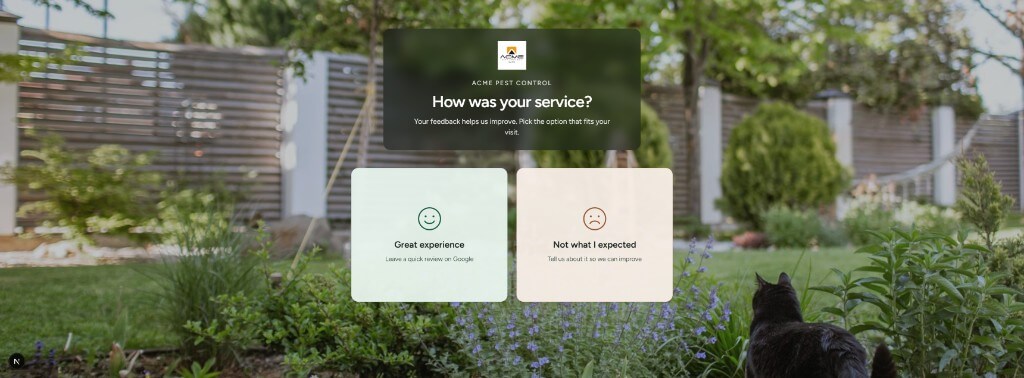
They scan or tap, then choose “Great experience” or “Not what I expected.” Review Garden routes them from there.
Ways to reach customers
Postcard, email, or both
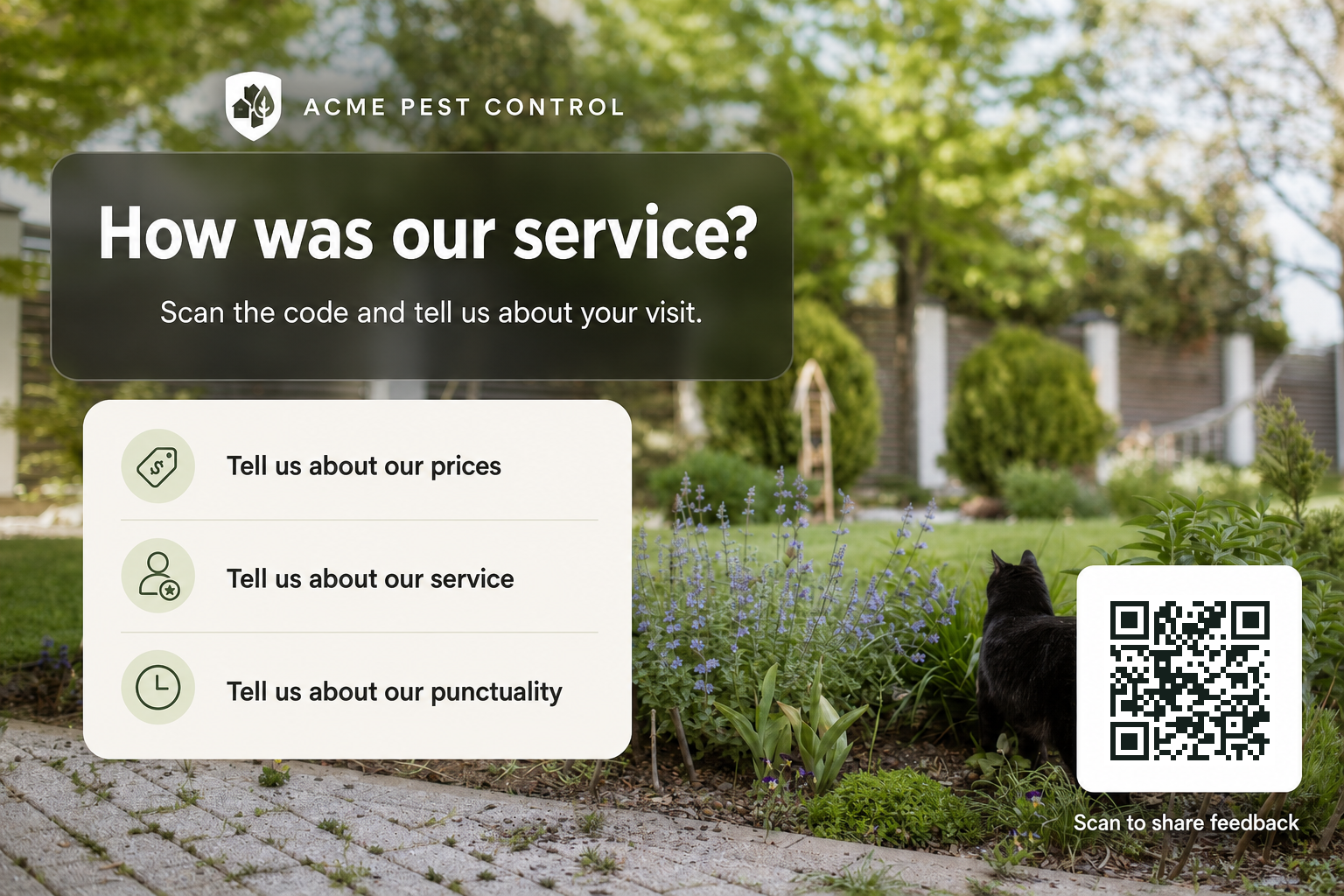
Postcard
Hand it over when the job is done
A physical reminder with a QR code. No app install — they scan, land on your page, and choose how the visit went.
Follow up after they leave
A short note with one link. Same two-path landing page as the postcard, so happy and unhappy visits are handled the same way.
The customer experience
One landing page. Two clear flows.
Everyone lands in the same place. Review Garden routes them based on how the visit went — so you grow public reviews without inviting every complaint onto Google.
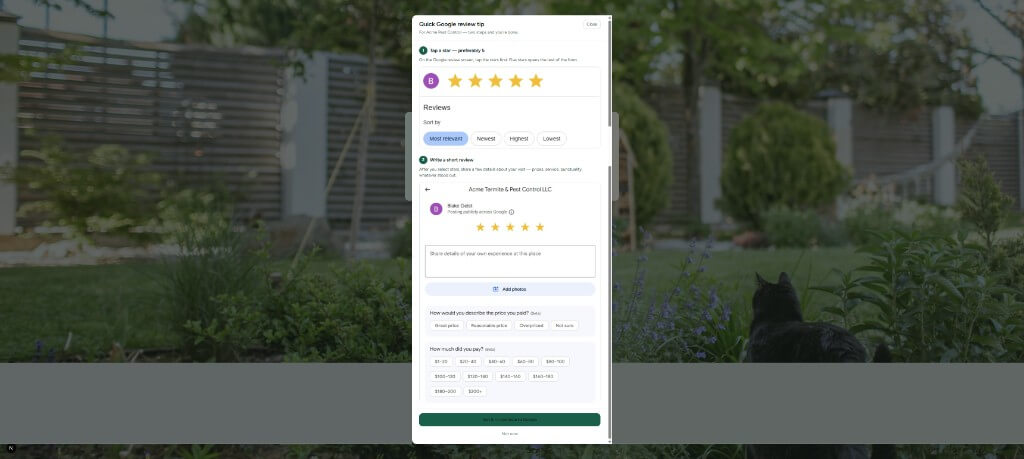
Happy path
Guide them into a Google review
They tap “Great experience,” see a quick tip on stars and what to write, then continue to Google ready to post.
Recovery path
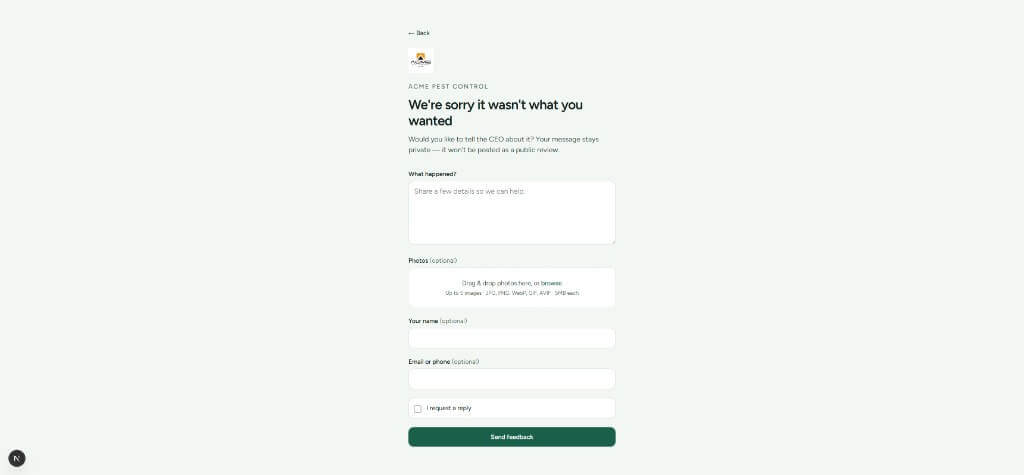
Keep complaints private
If something went wrong, they share details and optional photos with you — not as a public 1-star review.
What you manage
A simple admin for the work that matters
Review click tracking
See how many customers continued to Google from your landing page.
Private feedback inbox
Read messages, mark them taken care of, and delete when you’re done.
Branding controls
Upload a logo and background so the page feels like your business, not a generic form.
Ready to plant the ask?
Set up a business page, print your postcard, and start turning finished jobs into Google reviews — with a private safety net when service falls short.